
If you're thinking about digitizing your restaurant, you've probably come across the term "cloud software." It sounds technical, but the idea is simple: it's a system that lives on the internet and that you open from the browser on your phone, tablet, or computer, with nothing to install and no special equipment to buy. In this guide we explain what it is, how it differs from an installed system, and what you can do with it from day one.
What is cloud-based restaurant software?
Cloud (or "web") software is an application that isn't stored on a computer at your location but on remote servers you reach over the internet. All you need is a device with a browser and a connection. Everything -- your menu, your orders, your reports -- is saved online and syncs on its own.
For a restaurant, this means you can create your digital menu, take orders, and see how your business is doing without depending on a physical register or a technician to install programs. You open a page, log in, and you're ready.
Cloud vs. installed system: the difference that matters
In the past, a "restaurant system" was a program a technician installed on a computer at the location. If that machine failed, you were left with no system. The cloud changes that logic. These are the differences you actually notice day to day:
- Installation: an installed system requires someone to come set up equipment; a cloud one activates in minutes from any browser.
- Hardware: an installed system usually calls for a dedicated computer; in the cloud the phone you already have is enough.
- Updates: with an installed system you (or a technician) run them by hand; in the cloud they arrive on their own, at no cost and with no interruption.
- Access: an installed system only works on the machine at your location; in the cloud you log in from home, another branch, or your phone.
- Backup: in the cloud your information is saved online, so you don't lose it if a piece of equipment breaks.
Key facts to decide
- The cloud needs no installation and no dedicated computer: you log in from the browser.
- Updates and backups are automatic, without you lifting a finger.
- You can change your menu prices instantly and they show right away.
- With Rankea you can build your menu with AI in a few minutes.
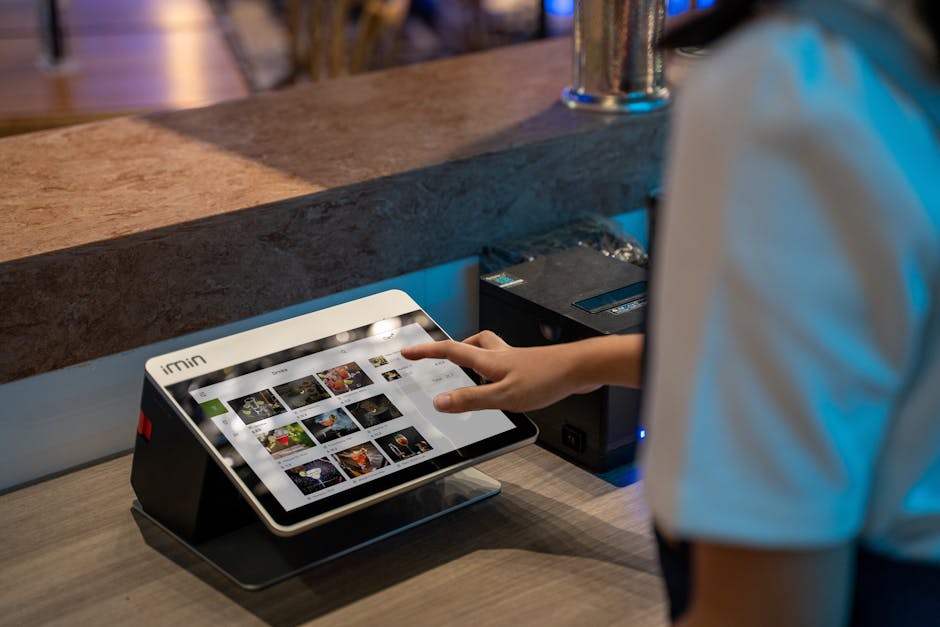
What you can do with a cloud system
Good cloud software for restaurants covers what truly drives your day-to-day operation. With Rankea, for example, you get:
- Digital menu and QR with prices you edit instantly, with no need to reprint menus.
- One QR per table so each guest opens the menu from their own phone.
- Orders straight to the kitchen with 0% commission, with no middlemen taking a cut.
- Kitchen panel to see tickets by status (new, in progress, ready).
- Reservations from the menu itself, with your hours.
- Analytics and reports to know which dish sells the most and at what time.
- AI that builds your menu: you upload a PDF or a photo of your menu and the system reads names, prices, and categories for you.
- 18 QR menu templates by restaurant type, which you can customize.
- Multi-branch and daily menu for businesses that grow or rotate their daily specials.
If you want to see the ready-to-use designs, you can explore the QR menu catalog and pick the one that fits your kitchen.
Advantages of working in the cloud
Beyond the feature list, the cloud gives you operational peace of mind:
- Up and running in 5 minutes and no hardware: you don't buy terminals or hire an installer.
- Instant changes: you raise a dish's price and your customers see it right away.
- Access from wherever you are: you check sales or change the menu from your phone.
- Your information protected: automatic backups, without depending on a single computer.
- Grows with you: you start with one branch and add more when you need them.
How much do you need to get started?
You don't need a big investment. With Rankea you try everything 14 days free, no card needed: your digital menu and QR, the 18 templates, editing prices without limit, the AI that builds your menu, orders and analytics.
Features like direct orders, table orders, the kitchen panel, and reservations you use with no cap, so you can see how they work with your real operation. When you want them without limit, the plan costs $699 MXN per month, no contract, and also includes advanced analytics, support, and additional branches. If you want the details of where the real charge sits, we break it down in this guide to software with no monthly fee.
How to start today
- Create your digital menu and upload your carte (or let the AI read it from a PDF or photo).
- Pick one of the 18 templates and adjust prices and categories.
- Download your QR, print it or share it over WhatsApp, and put it on the tables.
- Turn on orders to the kitchen whenever you want to try the full flow.
Ready to see it in action? You can create your QR menu and have your restaurant in the cloud today. And if you're still comparing options, check out our guide to choosing the right system for your restaurant.
Frequently asked questions
What is cloud-based restaurant software?
It's a system that lives on the internet and that you open from the browser on your phone, tablet, or computer. It isn't installed on a machine at your location: your menu, orders, and reports are saved online and sync on their own.
Do I need to buy special equipment or hardware?
No. Since it's in the cloud, all you need is a device with a browser and an internet connection. You don't need terminals, installation, or a technician to get started.
Is it safe to have my information in the cloud?
Yes. Your information is saved on online servers with automatic backups, so you don't lose it if a computer at your location breaks, as could happen with an installed system.
How much does cloud software cost?
Rankea has a single plan: digital menu and QR, templates, unlimited price editing, AI that builds the menu, one branch, analytics, direct orders, kitchen panel and reservations, all with no cap. It's $699 MXN/month, no contract, and the first 14 days are a trial of the complete system.
Does it work if I have several branches?
Yes. You can manage several branches from the same account and log in to each one from anywhere. Additional branches are included in the plan.


